
Inline Font Icons & Optimized Markup
What Are These Options?
Inline Font Icons and Optimized Markup are performance-related settings available in Elementor. These features are designed to improve website loading speed and optimize the HTML structure generated by Elementor.
- Inline Font Icons loads icons directly within the page markup, which can help reduce additional requests and improve performance.
- Optimized Markup generates cleaner and more efficient HTML code, which may contribute to better page speed and overall website performance.
Do These Options Need to Be Enabled?
No. These settings are optional and are not required for your website to function correctly.
By default, Elementor enables these options on new installations. However, many of our template kits were originally developed before these features became available or before they reached their current level of stability and adoption.
As a result, enabling these options may occasionally cause minor layout differences compared to our live demo websites. If you notice any design inconsistencies, disabling these settings can help the template match our original demo layout more closely.
Important Note
You can safely leave these options enabled if your website layout appears correct. There is no requirement to disable them.
We only recommend disabling these options if you are experiencing styling, spacing, icon, or layout differences compared to the live demo.
How to Disable These Options
- Log in to your WordPress Dashboard.
-
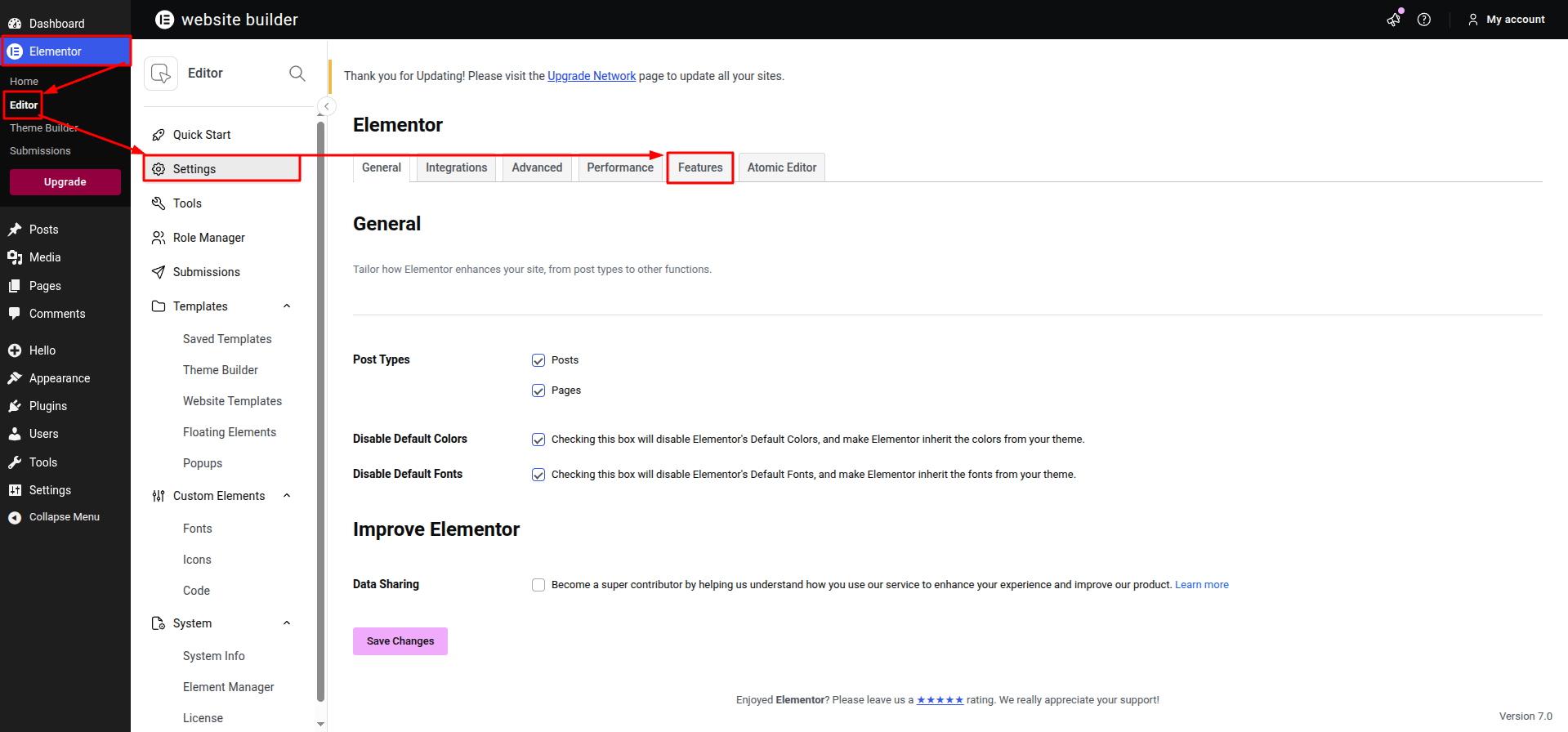
Navigate to Elementor → Editor → Settings.
Open the Features tab.
Locate the following options:
- Inline Font Icons
-
Optimized Markup
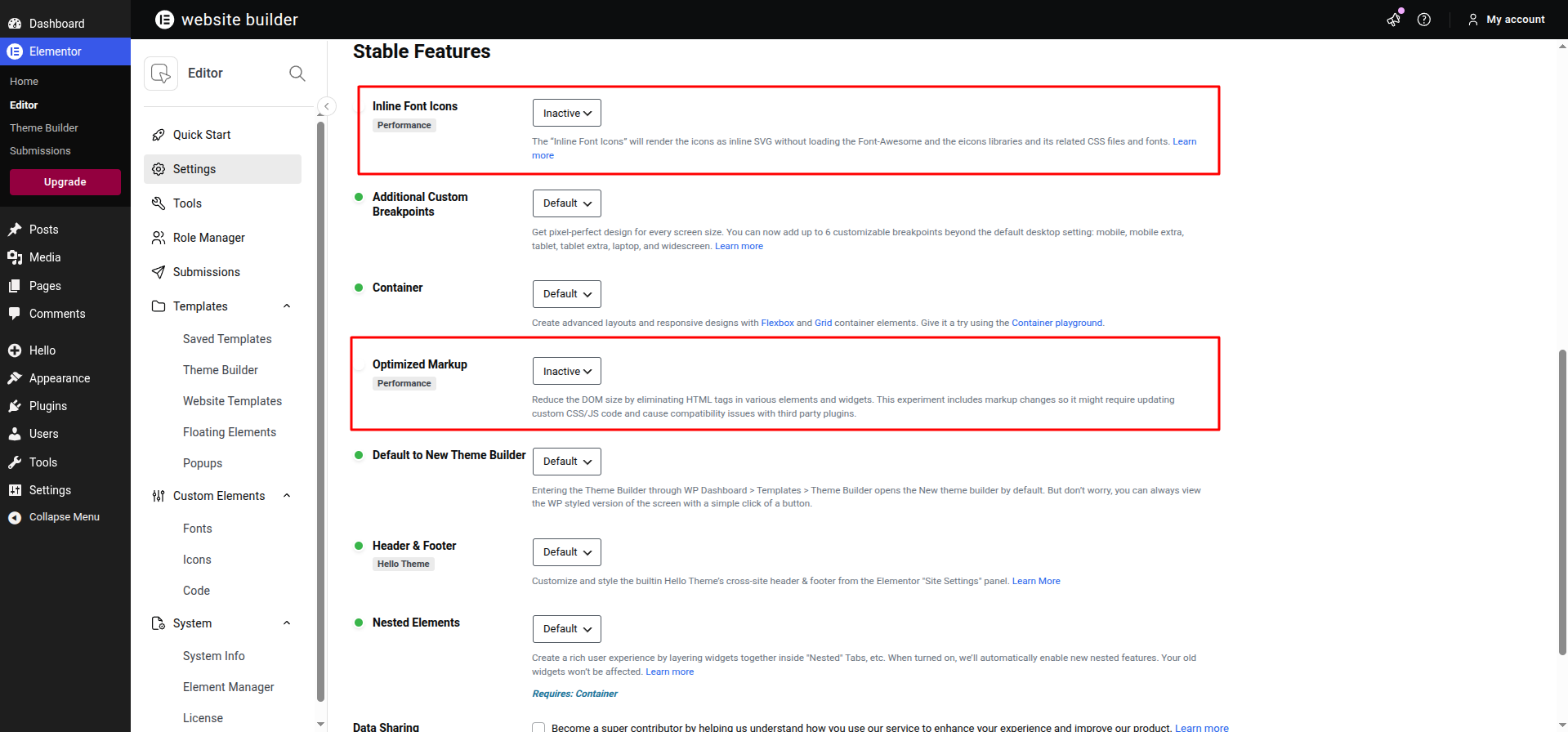
- Change their status to Inactive.
-
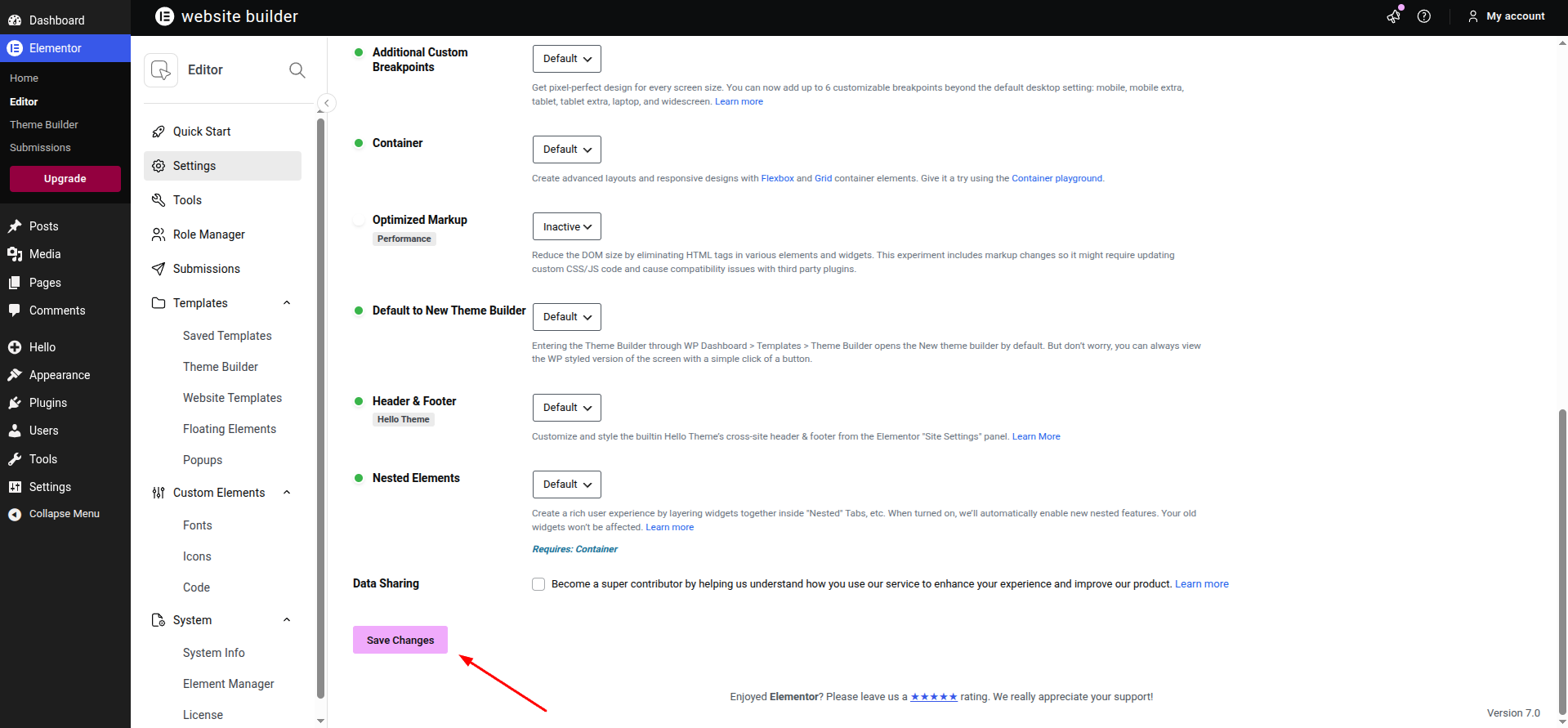
Click Save Changes.
- Clear any website, browser, or caching plugin cache if applicable.
After disabling these options, review your website and compare it with the live demo. In many cases, this will restore the original layout and styling used when the template kit was created.